Top Ten Apple Software

Apple Software

VMware Fusion 2 - Who says you can't have it all? Get the best of both worlds and seamlessly run your favorite Windows applications on the Mac with VMware Fusion. Instantly launch Windows applications from any Mac file, the Dock, and more. Run Windows side-by-side with Mac OS X without rebooting, and quickly switch between Windows and Mac applications with Exposé. Use Windows-only USB devices on your Mac including GPS receivers, cell phones, PDAs, and web cameras. Run 3D games, design software and graphics-intensive apps with support for DirectX 9.0 Shader Model 2 3D. You can even bring your entire PC along, virtually, using VMware Converter. Windows really is better on the Mac. Hardware accelerated DirectX 8.1 3D graphics Run Windows, Linux, Solaris, FreeBSD, and NetWare without rebooting Most integration with the Mac including - Drag and Drop, Copy and Paste, Shared Folders (Windows 2000 and later), Auto-resize and full screen support System Requirements - Intel Mac required Minimum 1 GB of RAM (2 GB RAM recommended) 400 MB free disk space for VMware Fusion, and at least 5 GB for each virtual machine Mac OS X 10.4.11 or later Operating System installation media (disk or disk image) for virtual machines Microsoft Windows (not included)Who says you can't have it all? Get the best of both worlds and seamlessly run your favorite Windows applications on the Mac with VMware Fusion. Instantly launch Windows applications from any Mac file, the Dock, and more. Run Windows side-by-side with Mac OS X without rebooting, and quickly switch between Windows and Mac applications with Exposé. Use Windows-only USB devices on your Mac including GPS receivers, cell phones, PDAs, and iSight cameras. Run 3D games, design software and graphics-intensive apps with support for DirectX 9.0 Shader Model 2 3D. You can even bring your entire PC along, virtually, using VMware Converter. Windows really is better on the Mac.

Get the best of both worlds.

Moving to the Mac is easy.
Getting started is a breeze. Import your existing Windows PC with VMware Converter, or easily install a new Windows OS in a few simple steps with Windows Easy Install.

Graduate from Boot Camp.
VMware Fusion is the perfect complement to Apple's Boot Camp. No more choosing between Mac or Windows on boot; run Windows side-by-side with Mac OS X from your existing partition. And when you're ready, import your Boot Camp partition to reclaim extra space and enjoy great features such as Snapshots, AutoProtect, and Suspend and Resume.

3D for you and me.
Run 3D games, design software and other graphics-intensive apps with support for DirectX 9.0 Shader Model 2 3D hardware-accelerated graphics.

Displays for days.
Use Windows applications across as many displays as you please--up to eight screens.

Mac to the core.
Built from the ground up for the Mac, VMware Fusion works the way you expect with customizable tool bars, Quick Look integration, searchable Apple help and more.

Airbags for your Mac.
Take snapshots of your Windows installation, and always have the option to roll back to a safe state in case of trouble. And with AutoProtect, automated snapshots let you easily go back in time to before problems occurred.

USB without limits.
VMware Fusion lets you use Windows-only USB devices on your Mac--from GPS receivers, to cell phones, PDAs and even Apple iSight cameras.

Keep the bugs away.
To keep Windows XP and Windows Vista on your Mac as safe as possible, VMware Fusion includes a complimentary 12-month subscription to McAfee VirusScan Plus.

Maximize your Mac.
Take your Mac to the max by running virtual machines with up to four virtual CPUs, 8GB of RAM and with 64-bit operating systems.

Features:

  • Seamlessly integrate Windows applications with the Mac
  • Instantly launch Windows applications from any Mac file, the Dock and more
  • Run Windows side-by-side with Mac OS X without rebooting
  • Minimize Windows applications to the Dock
  • Use Exposé to switch between Windows and Mac applications
  • Import an existing PC with VMware Converter
  • Install new Windows OS with Windows Easy Install
  • Run Windows applications across multiple screens
  • Use Windows-only USB devices on your Mac, including GPS receivers, cell phones, PDAs, and iSight cameras
  • Run 3D games, design software and other graphics-intensive apps with support for DirectX 9.0 Shader Model 2 3D hardware-accelerated graphics
  • Winner of more than a dozen industry awards

List Price: $79.99
Our Price: $42.99
More Info!
Mac OS X Version 10.5.4 Leopard - Mac OS X v.10.5 Leopard is the newest release of Apple's innovative, stable and compatible operating system for Macintosh computers. This new release includes an elegant new interface and over 300 new innovations designed to help customers accomplish any task. Improvements have been included for all your favorite Mac programs like iChat and Mail, as well as all-new features such as Quick Look, which lets you peruse the contents of a multiple-page document or video without opening the whole file, and Time Machine, which can recover files in seconds. OS X 10.5 has all this, as well as the exceptional search technology, stunning graphics, rapid connectivity and solid stability you've come to expect from the OSX family of operating systems. iChat now lets you present movies, presentations and virtually any document during your chtas with iChat Theater. You can even save your audio and video chats for sharing or synching with an iPod to play on the go. Communicate with 30 professionally designed stationary template, keep important notes and track to-do items in Mail You can now group applications into Spaces and move between each Space with keyboard shortcuts to organize your windows and reduce clutterHello, tomorrow. The biggest Mac OS X upgrade ever, Leopard features 300+ innovations. Explore the Mac of the future today.


Ready. Set. Code.
Discover developer tools you can build on.

Xcode. Build fast. Work smart.
Xcode 3.0 delivers better performance, as well as innovations that let you create stunning Mac applications more quickly. Enjoy a graphical IDE in which form focuses your functions. Delight in a debugger so groundbreaking, you'll make mistakes just to see it in action.

Xray. Apps, the developer will see you now.
When you need help debugging, Xcode 3.0 offers an extraordinary new program: Xray. Taking interface cues from timeline editors such as GarageBand, Xray lets you visualize application performance like never before.

Dashcode. Widgets without the wait.
Ever wish you could make your very own Dashboard widget? A handy RSS feed of your favorite blog, maybe. Or a miniature photocast of your iPhoto library. Something uniquely useful, uniquely you. Say hello to Dashcode. Now you can get a widget up and running in minutes, even if you've never written a line of code in your life.
List Price: $129.99
Our Price: $89.90
More Info!

MobileMe Retail - Imagine running beautifully designed, easy-to-use Apple applications on your PC. At me.com, you can check your email, manage your contacts and calendar, share photos, and store documents. The applications are so intuitive and clutter free that me.com could become your new desktop. On a PC, MobileMe works seamlessly with the applications you use every day. You can use Outlook, Outlook Express, and Windows Contacts on XP or Vista. MobileMe automatically pushes your email, contacts, and calendars ? and even your Safari or Internet Explorer bookmarks ? to your other computers, iPhone, and iPod touch. If you have more than one PC, use MobileMe to keep email, contacts, calendars, and bookmarks the same on all of them. If you have a Mac and a PC, they can share the same information. MobileMe will keep your computers, iPhone, and iPod touch in sync and up to date. Do everything you need to do on every device you own. MobileMe works with Mail, Address Book, and iCal on a Mac; Microsoft Outlook on a PC with Windows XP or Vista; and the built-in applications on your iPhone or iPod touch.MobileMe, an Internet service from Apple, automatically syncs your email, contacts, and calendar to your iPhone, iPod touch, Mac, and PC. So wherever you go, you'll always be up to date. Changes you make on one device are automatically sent to a secure online server, the MobileMe "cloud," and back down to your other devices, keeping them all in sync. MobileMe works with the native applications you use every day--Microsoft Outlook on a PC and Mail, Address Book, and iCal on the Mac. Access your email, contacts, calendar, photos, and documents from anywhere with a suite of elegant, ad-free web applications at me.com. Use MobileMe Gallery to share photos with friends and family in a stunning online gallery. Easily store, access, and share large files from anywhere using MobileMe iDisk. With push email, contacts, and calendars, easy photo sharing, an online iDisk, and 20GB of storage, MobileMe keeps everything up to date, anywhere you are. An individual membership comes with 20GB of combined email and file storage, 200GB of monthly data transfer, and full access to everything MobileMe has to offer.

MobileMe iDisk

Anywhere you go, you can always get the files you need.

Your personal hard disk online.
With MobileMe iDisk, it's easy to store, access, and share files online. You have plenty of storage space--even large files are no problem. Just add the files you need to your iDisk, and whatever you upload will be there for you to download using a web browser on any computer.

Easy web access.
MobileMe iDisk is accessible from any web browser, Mac or PC, at me.com. With a familiar, intuitive interface, uploading and organizing files is as simple as drag and drop. You can see your files in list or column view. And if you use a Mac, you can find iDisk right in the Mac OS X Finder.

Share and share alike.
Sharing data with friends is a snap with iDisk--even files too big for email. Just upload what you want to share. iDisk will help you send an email with a link to the file. If you have files to share with a group of people, add the files to your iDisk Public folder, where your friends can access them online and post their own.
List Price: $99.00
Our Price: $69.95
More Info!

MacSpeech Dictate - You'll feel like you have your very own typist with MacSpeech Dictate. It's extremely accurate and it adapts to your voice. It only takes five minutes or less of training, so you can get started fast. You can dictate text into any application that supports text entry from the keyboard, even Windows apps running in a virtual environment such as Parallels or Fusion, and also applications like Microsoft Word, Adobe Photoshop, QuarkXPress, iChat, Mail, iPhoto, Keynote, etc. You can even use it to surf the web, or use it for basic menu commands like print, cut, copy, paste, etc.

Internet Ready - Surf the web with your voice Built especially for the Mac Uses the renowned Dragon NaturallySpeaking speech recognition engine Requires Mac OS X 10.4.11 or higher, including Mac OS X 10.5, and requires Intel-based Macintosh hardware
List Price: $199.99
Our Price: $164.99
More Info!
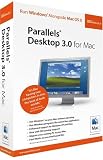
Parallels Desktop 4.0 for Mac - Run Windows on your Mac without rebooting. Parallels Desktop 4.0 for Mac makes it easy to run Windows, Linux, and more side-by-side with Mac OS X without rebooting. With Parallels' award winning virtualization technology, you can run Mac OS X and critical Windows applications such as Outlook, Access, QuickBooks, Internet Explorer and more, all at the same time. This new release of Parallels Desktop for Mac comes packed with 50+ new features and enhancements including the ability to drag-and-drop files between desktops, run Windows programs like native Mac applications and migrate your existing PC to your Mac. And with the Installation Wizard to help you get started, you'll be up and running in just three clicks of the mouse.

Compatible with Windows (Vista, XP, 2003, NT, 2000, Me, 98, 95, 3.11, and 3.1), any Linux distribution, FreeBSD, Solaris, OS/2, eComStation or MS-DOSMinimum System Requirements Intel-based Mac 1 GB of RAM (2GB recommended to run Windows Vista) 450 MB of hard drive space for Parallels Desktop installation, plus space to allocate to your virtual machine Mac OS X 10.4.6 or later Internet connection required for online updates Requires Windows or other operating system (not included)With more than 1 million users worldwide, the award-winning Parallels Desktop for Mac is easier than ever to use with its brand new Mac user interface and lightning-fast performance. This new version is packed with dozens of new features that make running Windows programs on a Mac completely seamless.

Comprehensive Protection and Privacy
Parallels Internet Security by Kaspersky protects your Windows programs from virus and spyware threats and even includes a firewall and anti-spam tools. Parallels Desktop also includes SmartGuard instant "snapshots" which make backup and recovery easier than ever.

Features

  • Advanced virtualization engine with lightning-fast performance
  • Use Windows on your Mac without rebooting
  • Install Windows XP and Vista in 3 easy steps
  • New--Coherence 4.0 makes Windows programs run and act like Mac applications
  • Run thousands of Windows applications at near native speed
  • New--Support for OpenGL and DirectX 9.0 3D graphics software including games
  • Drag and drop files between Windows XP, Vista and Mac OS X.
  • New--Parallels Energy Saver maximizes notebook battery life
  • New--Built-in Windows virus and spyware protection
  • Migrate your existing PC to your Mac. Even import Boot Camp partitions and VMware Fusion virtual machines.
  • New--Use iPhone to manage virtual machines
  • New--Speech recognition support. Use your voice to control major Parallels commands.
  • Unmatched Ease of Use

Includes $175 in Essential Windows Software

  • Kaspersky Internet Security 2009 protects against virus and spyware threats, plus firewall and antispam. $79.99 value

  • Acronis TrueImage Home backup and recovery software for Windows. $49.99 value

  • Acronis Disk Director Suite disk partitioning software for Windows. $49.95 value

With more than 1 million users worldwide, the award-winning Parallels Desktop for Mac is the #1 Mac System Utility.*


List Price: $79.99
Our Price: $49.99
More Info!

MobileMe Family Pack - Maybe you have a computer at home, one at work, and an iPhone or iPod touch. And it can be hard to keep them all up to date. But now there's MobileMe. Wherever you are, your iPhone, iPod touch, Mac, and PC are always current and always in sync. And with a suite of elegant new web applications, you can access your data from anywhere.

Imagine running beautifully designed, easy-to-use Apple applications on your PC. At me.com, you can check your email, manage your contacts and calendar, share photos, and store documents. The applications are so intuitive and clutter free that me.com could become your new desktop. On a PC, MobileMe works seamlessly with the applications you use every day. You can use Outlook, Outlook Express, and Windows Contacts on XP or Vista. MobileMe automatically pushes your email, contacts, and calendars ? and even your Safari or Internet Explorer bookmarks ? to your other computers, iPhone, and iPod touch. If you have more than one PC, use MobileMe to keep email, contacts, calendars, and bookmarks the same on all of them. If you have a Mac and a PC, they can share the same information. MobileMe will keep your computers, iPhone, and iPod touch in sync and up to date. Do everything you need to do on every device you own. MobileMe works with Mail, Address Book, and iCal on a Mac; Microsoft Outlook on a PC with Windows XP or Vista; and the built-in applications on your iPhone or iPod touch.MobileMe, an Internet service from Apple, automatically syncs your email, contacts, and calendar to your iPhone, iPod touch, Mac, and PC. So wherever you go, you'll always be up to date. Changes you make on one device are automatically sent to a secure online server, the MobileMe "cloud," and back down to your other devices, keeping them all in sync. MobileMe works with the native applications you use every day--Microsoft Outlook on a PC and Mail, Address Book, and iCal on the Mac. Access your email, contacts, calendar, photos, and documents from anywhere with a suite of elegant, ad-free web applications at me.com. Use MobileMe Gallery to share photos with friends and family in a stunning online gallery. Easily store, access, and share large files from anywhere using MobileMe iDisk. With push email, contacts, and calendars, easy photo sharing, an online iDisk, and 20GB of storage, MobileMe keeps everything up to date, anywhere you are. The Family Pack includes one individual account plus four Family Member accounts, each with its own email address, 5GB of combined email and file storage, and 50GB of monthly data transfer.

MobileMe iDisk

Anywhere you go, you can always get the files you need.

Your personal hard disk online.
With MobileMe iDisk, it's easy to store, access, and share files online. You have plenty of storage space--even large files are no problem. Just add the files you need to your iDisk, and whatever you upload will be there for you to download using a web browser on any computer.

Easy web access.
MobileMe iDisk is accessible from any web browser, Mac or PC, at me.com. With a familiar, intuitive interface, uploading and organizing files is as simple as drag and drop. You can see your files in list or column view. And if you use a Mac, you can find iDisk right in the Mac OS X Finder.

Share and share alike.
Sharing data with friends is a snap with iDisk--even files too big for email. Just upload what you want to share. iDisk will help you send an email with a link to the file. If you have files to share with a group of people, add the files to your iDisk Public folder, where your friends can access them online and post their own.
List Price: $149.00
Our Price: $79.99
More Info!

Apple Mac OS X Version 10.5.4 Leopard [5-User Family Pack] - The newest edition of the easiest operating system to use has just gotten better. Mac OS X v10.5.4 Leopard is packed with over 300 new features, installs easily, and works with the software and accessories you already have.

iChat - Connect face to face with high-quality video conferencing ? now with effects, backdrops, iChat Theater Spaces - Group related application windows into separate spaces and switch between them Safari 3 - now has better tab control, improved Find capabilities, inline PDF controls Parental Controls Boot Camp - Run Windows XP & Vista at native speed on your MacMinimum System Requirements Mac computer with an Intel, PowerPC G5, or PowerPC G4 (867MHz or faster) processor 512MB of physical RAM DVD drive for installation The Family Pack Software License Agreement lets you install and use 1 copy of Leopard on up to a maximum of 5 Apple-labeled computers at a time as long as those computers are located in the same household and used by persons who occupy that household. ?Household? is defined as a person or persons who share the same housing unit such as a home, apartment, mobile home, or condominium, including student members who are primary residents of that household but reside at a separate on-campus location. This license does not include business or commercial usersHello, tomorrow. The biggest Mac OS X upgrade ever, Leopard features 300+ innovations. Explore the Mac of the future today.


Ready. Set. Code.
Discover developer tools you can build on.

Xcode. Build fast. Work smart.
Xcode 3.0 delivers better performance, as well as innovations that let you create stunning Mac applications more quickly. Enjoy a graphical IDE in which form focuses your functions. Delight in a debugger so groundbreaking, you'll make mistakes just to see it in action.

Xray. Apps, the developer will see you now.
When you need help debugging, Xcode 3.0 offers an extraordinary new program: Xray. Taking interface cues from timeline editors such as GarageBand, Xray lets you visualize application performance like never before.

Dashcode. Widgets without the wait.
Ever wish you could make your very own Dashboard widget? A handy RSS feed of your favorite blog, maybe. Or a miniature photocast of your iPhoto library. Something uniquely useful, uniquely you. Say hello to Dashcode. Now you can get a widget up and running in minutes, even if you've never written a line of code in your life.
List Price: $199.00
Our Price: $144.99
More Info!

Norton AntiVirus 11.0 For Mac - Automatically detects and removes viruses / Runs natively on Intel and PowerPC based Mac systems / Works with Mac OS X v10.5 Leopard Scans and cleans downloaded files and email attachments Provides advanced protection against software and Internet vulnerabilities System Requirements - Mac OS X version 10.4.10 or higher, Mac system with PowerPC or Intel Core processor, 128MB RAM, 100MB free space, and Internet connection required for LiveUpdate
List Price: $49.95
Our Price: $44.99
More Info!
PD+Rescue for iPod Win/Mac - PD+Rescue™ for iPod® by TastyBytes Software, Inc. is the missing link between your computer and your iPod® or iPhone™. Although the iPod has revolutionized the way we listen to music it has one major drawback: once songs are put on your iPod or iPhone they cannot be taken off. PD+Rescue™ solves this problem by allowing you to freely transfer your songs and playlists back to your computer for use in iTunes or as backup on an external hard drive. Not only does PD+Rescue™ help you retrieve your music and videos from your iPod it also helps to insure that you don’t lose it all in the process. PD+Rescue™ will detect all iPods set to “Automatic Update Mode” and give you the chance to change it before iTunes erases all your media. Features include: • Works with all iPod models • iPhone Support (NEW) • Force iPod Manual Update Mode (NEW) • Block iTunes/iPod update (NEW) • Display songs not in iTunes. (NEW) • Multiple Playlist Cloning Support (NEW) • iTunes® Song rating, Last Played & Playcounts (NEW) • On-The-Go Playlist support (NEW) • Export song list (NEW) • Faster Copy & Backup Speeds (NEW) • Easy to use interface • Add songs directly to iTunes® • Play songs directly from the iPod • Automatic file renaming • Recovers songs from a damaged database. • Support for Multiple iPods • Support for iTunes Music Store® songs • Audible.com support • Single button sequential backups • Play video files directly from the iPod • Support for Windows Vista, XP & Windows 2000 • Support for Mac OS X (Universal Binary)
List Price: $29.99
Our Price: $29.99
More Info!
Drive Genius 2 - Is your Mac running slower? You probably need to defrag your drive. Although OS X optimizes the files in the Mac, it doesn't optimize the drive itself. Drive Genius 2 has the ability to defrag, directory repair and repartition on-the-fly. This is the same product used by Apple at the Genius Bar to defrag your drive (Part of the ProCare program offered by Apple). This software makes hard drive maintenance tasks painless, fast and easy. So prevent disaster by using Drive Genius 2 to maintain your computer.

Bootable DVD allows you to boot directly from the DVD Features - Partition, Shred, Details, Initialize, Duplicate, Integrity Check, Repair, Rebuild, Verify, Fix Permissions, S.M.A.R.T Status, Defragment, Benchtest, Surface Scan, Sector Editor (for expert users only). System Requirements DVD drive Mac OS 10.4.9 or newer User interface animations require Quartz Extreme support (G4 or newer) 256mb RAM 1.0GHz processor minimum
List Price: $99.00
Our Price: $52.98
More Info!

Mac Networking Software

Micromat TechTool Pro 4 (Mac) - This is the eagerly anticipated Universal Binary version of TechTool Pro that will run on both Intel and PowerPC-based Macs. It fully supports the hardware changes introduced to the Macintosh platform with the introduction of the new MacIntel chipsets. All of the features of the program that were previously available for PowerPC based Macs are available for Intel-based Macs as well. This includes the innovative eDrive (emergency startup partition) feature of the program, found nowhere else. In addition to Universal Binary support, the new release will also include some significant program enhancements, including improved Disk Controller test routines. Unlike most application software, more than a simple re-compile of the program was required to support the new Intel-based Macs. Because TechTool Pro works with the computer hardware at the lowest levels, it was necessary for Micromat to completely re-engineer the software from the ground up. In order to support the new models, Mac OS X 10.4 (Tiger) is required to run the program.
TechTool Pro ships on DVD for both PowerPC and Intel-based Macs. The DVD will automatically boot the correct system version.
No product comes close to TechTool Pro for ensuring that all of your hardware and software is operating at peak performance. No other software gives you the peace of mind that comes from knowing that your valuable data is protected by the latest technology. With a single mouse click, TechTool Pro can automatically run a series of sophisticated tests that will troubleshoot almost any problem you are having with your Macintosh.
List Price: $99.99
Our Price: $79.76
More Info!
Isaac Asimov Space Traveler - Renowned science-fiction writer Isaac Asimov is your guide as you probe space for a greater understanding of the universe. Meet scientists as they delve into theories, unveil their own opinions, and look to the future for a glimpse of things to come in this action-packed collection.Probe space for a greater understanding of the universe with science fiction writer Isaac Asimov as your guide. Meet scientists as they delve into theories, unveil their own opinions, and look to the future for a glimpse of things to come in this seven-CD-ROM collection. Witness the explosion that formed the sun and its family of planets. Examine the big bang and the expanding universe theories. Learn the origins of astronomy and discover the mysteries of the inner and outer planets. Each CD-ROM features almost an hour of multimedia presentations, hundreds of images, and 100 interactive questions and answers.
List Price: $29.99
Our Price: $19.95
More Info!
Dantz Dev. RETROSPECT 6.0 WORKGROUP MAC ( WU10A600000 ) - - Marketing Information: Designed for use in small and midsize businesses, Retrospect Workgroup backs up a single local server and up to 20 networked Apple Macintosh, Microsoft Windows, and Red Hat Linux desktops and notebooks, and it can be expanded with additional client licenses. Retrospect Workgroup utilizes proven automated technology to provide easy administration, complete protection for networked computers, and fast backups with 100% accurate restores. Product Information - Software Sub Type: Backup and Recovery - Software Name: Retrospect v.6.0 Workgroup - Complete Product - Features and Benefits: Protect Your Entire Network: - Retrospect provides automated protection for servers containing as much as 1,000 terabytes of data or more, as well as networked desktops and notebooks, which can contain 40-to-80 percent of a businessandquot;s critical data - It protects user data, operating system files and settings, as well as applications and their settings Get Fast Backups and Avoid Flawed Restores: - Only Retrospect performs the fastest backups while avoiding flawed restores. Most businesses use incremental or differential backups to save time Self-Adjusting Backup Operations: - Retrospect eliminates the need to write customized backup scripts each day because it automatically adjusts backup operations to capture data that was not backed up as a result of time constraints, network problems, or computers that were unavailable Easiest Onsite/O
List Price: $593.98
Our Price: $349.99
More Info!
Backup Exec Netware Svrs 9.1 - BACKUP EXEC NETWARE V9.1 SVR
More Info!
Conflict Catcher 8 Flat Pak -
Our Price: $24.99
More Info!
Norton Antivirus 10.0 / Norton Personal Firewall 3.0 Bundle (Mac) - NAV MAC 10.0/NPF MAC 3.0 CD RETAIL BUNDLE
List Price: $89.99
More Info!
Apple Remote Desktop 2 - Unlimited Client [OLD VERSION] -
List Price: $499.99
Our Price: $129.99
More Info!
E-commerce Made E-Z - Today's marketing power tools let you sell your products and services 24 hours a day on the World Wide Web--faster, at lower cost, and with greater profits. E-Commerce Made E-Z is full of invaluable time-sensitive information, including the latest tips, tricks, and tactics developed by the world's most successful e-commerce strategists. Here's everything you wanted to know about profitable e-commerce marketing but didn't know whom to ask.
Our Price: $6.87
More Info!
Netware Client for Mac Version 2 Ip Edition - 1 User - Built completely from the ground up this OS XNative client allows your Mac to communicate onyour Novell Network with Pure IP eliminating theneed to propagate AppleTalk® on your local areanetwork.Mac OS X client machines need only the IP protocolto access the Internet and local network services.Servers can be located dynamically statically orboth. The "Automount" feature can select whichvolumes to automatically mount on login.Eliminates the Need for Apple® Specific NLMsNetWare Client for Mac OS X - IP Edition workswithout having to install any additional software onexisting NetWare 5 and 6 servers. This reduces oreliminates administrator intervention.System Requirements:128 MB of available RAM 7 MB of free hard disk space NetWare Version 5 or 6 IPX and NetWare 4 and below not supportedFormat: MAC 10.3.8 OR LATER Genre: UTILITIES UPC: 794038351004 Manufacturer No: 35100
List Price: $149.00
Our Price: $106.24
More Info!
Apple Remote Desktop 3 10 Managed Systems [OLD VERSION] - Apple's Remote Desktop 3: Unlimited Managed Systems has the power to simplify administrative tasks and make managing networked Mac OS X systems easy and efficient. This new version has even more options for distributing software, automating common tasks, and providing remote assistance to your organization. The remote Spotlight search gives you an instant, at-a-glance view of the remote computers in your network. Automator actions use third-party actions to create your own custom workflows, which you can then save and reuse as needed. To help get you started, more than 30 Automator actions have been included. The AutoInstall feature of Apple Remote Desktop 3 you can stage software to install on remote, mobile, or offline systems. Just stage the software and, when the computer is back on the network, Apple Remote Desktop will automatically update the system. Other features are described below. Special license for up to 10 managed systems. User History reports give you detailed information on who is using a computer, when they logged in and out, and how they accessed the computer Smart Computer Lists track computers easily -- specify a set of rules, based on 11 attributes; any computer that matches the rules you set automatically gets added to the list Save frequently-used tasks as Task Templates that you can reuse whenever you need them Over 30 sample UNIX scripts are included to help with setting desktop pictures, time zone settings, Energy Saving settings and more
List Price: $299.00
Our Price: $198.00
More Info!

Apple Business Software

Microsoft Office 2008 for Mac Home & Student Edition - Homework and Home Work will be easier than ever with Microsoft Office 2008 for Mac Home and Student Edition. Get better results faster and create high-quality documents you can be proud of, with less frustration and more enjoyment.

PowerPoint 2008
Your presentation is a story. PowerPoint 2008 will illustrate it. Inspire your audience's imagination with compelling visuals and engaging layout.

  • Great ideas will get their graphic due with SmartArt graphics in PowerPoint 2008. Start with a blank slide or a bulleted list, and, with a click of a button, you'll have a stunning chart, table, map, or diagram.
  • Designer Themes help you give your presentation a creative look, simply and quickly.
  • The new Object Palette allows quick access to all your shapes, art, symbols, and pictures--including iPhoto files--in one easy-to-access space.
  • Dynamic Guides will help you place and resize your graphic element to create professional-looking presentations in a snap.
  • You'll lay out custom designs to showcase your unique content with custom layout capabilities in PowerPoint 2008.
  • PowerPoint 2008 integration with Apple Remote Control lets you concentrate on your words, not your keyboard. Now control your presentation and engage your audience unleashed from the podium.

    Excel 2008
    It's a numbers game. With Excel 2008, analyze, share, and manage your data, and easily create persuasive charts and thought-provoking graphs for powerful results.

    • Ledger Sheets in Excel 2008 make tracking finances, inventories, even invoices and portfolios easy with preformulated spreadsheets and automatic calculations.
    • Charting improvements artfully convey the message your data is telling. You'll see your numbers in a whole new way.
    • The new prebuilt functions tackle the most common tasks and make creating error-free complex conditional formulas easier.
    • Quick access to formulas makes functions more functional with Formula Builder in Excel 2008.
    • Your data will know virtually no limits. Excel 2008 now supports over 16,000 columns and over 1 million rows.
    • Whether you're an Excel expert or a complete novice, Excel 2008 Formula AutoComplete simplifies your calculations by providing a dynamic pop-up menu so you can select and complete your formula.

    Messenger for Mac
    Convenience is the name of the game for Mac users who want to communicate instantly with family, friends and colleagues from one convenient place. Messenger for Mac is now a Universal application, and gives you more ways to share what's on your mind or on your plate.

    Use Messenger for Mac to instantly check the status of project team members, streamline workflow by sending documents directly from Word, or offer questions or comments on document changes instantly.

    • Yahoo! Interoperability will allow personal users to connect and message with Yahoo! Messenger for Mac users.
    • Your intentions will never again be in doubt when you create your own custom emoticons in Messenger for Mac.
    • Spelling Checker is now included in Messenger for Mac.
    • Let the world know your tastes when you display your iTunes selection with the new "What I'm listening to now" feature.

    List Price: $149.95
    Our Price: $99.95
    More Info!
Microsoft Office 2008 for Mac Special Media Edition - For media-savvy Mac users and professionals working with libraries of images, video, music, and digital assets, the reinvented Office 2008 for Mac experience with Expression Media achieve simple life digital asset management.Microsoft Office 2008 for Mac Special Media Edition. The power of the Office 2008 applications plus Expression Media, the powerful asset management tool to visually catalog, organize and present all of your digital assets. Simplify your work and visualize your success.

PowerPoint 2008
Your presentation is a story. PowerPoint 2008 will illustrate it. Inspire your audience's imagination with compelling visuals and engaging layout.

  • Great ideas will get their graphic due with SmartArt graphics in PowerPoint 2008. Start with a blank slide or a bulleted list, and, with a click of a button, you'll have a stunning chart, table, map, or diagram.
  • Designer Themes help you give your presentation a creative look, simply and quickly.
  • The new Object Palette allows quick access to all your shapes, art, symbols, and pictures--including iPhoto files--in one easy-to-access space.
  • Dynamic Guides will help you place and resize your graphic element to create professional-looking presentations in a snap.
  • You'll lay out custom designs to showcase your unique content with custom layout capabilities in PowerPoint 2008.
  • PowerPoint 2008 integration with Apple Remote Control lets you concentrate on your words, not your keyboard. Now control your presentation and engage your audience unleashed from the podium.

    Excel 2008
    It's a numbers game. With Excel 2008, analyze, share, and manage your data, and easily create persuasive charts and thought-provoking graphs for powerful results.

    • Ledger Sheets in Excel 2008 make tracking finances, inventories, even invoices and portfolios easy with preformulated spreadsheets and automatic calculations.
    • Charting improvements artfully convey the message your data is telling. You'll see your numbers in a whole new way.
    • The new prebuilt functions tackle the most common tasks and make creating error-free complex conditional formulas easier.
    • Quick access to formulas makes functions more functional with Formula Builder in Excel 2008.
    • Your data will know virtually no limits. Excel 2008 now supports over 16,000 columns and over 1 million rows.
    • Whether you're an Excel expert or a complete novice, Excel 2008 Formula AutoComplete simplifies your calculations by providing a dynamic pop-up menu so you can select and complete your formula.

    Messenger for Mac
    Convenience is the name of the game for Mac users who want to communicate instantly with family, friends and colleagues from one convenient place. Messenger for Mac is now a Universal application, and gives you more ways to share what's on your mind or on your plate.

    Use Messenger for Mac to instantly check the status of project team members, streamline workflow by sending documents directly from Word, or offer questions or comments on document changes instantly.

    • Yahoo! Interoperability will allow personal users to connect and message with Yahoo! Messenger for Mac users.
    • Your intentions will never again be in doubt when you create your own custom emoticons in Messenger for Mac.
    • Spelling Checker is now included in Messenger for Mac.
    • Let the world know your tastes when you display your iTunes selection with the new "What I'm listening to now" feature.

    List Price: $499.95
    Our Price: $116.99
    More Info!
H&R Block TaxCut 2008 Premium Federal + State + e-file - Prepare next year's federal return quickly and easily. With H&R Block TaxCut Premium Federal + State + E-file, you will get extra assistance and money-saving advice to maximize deductions. Plus, you'll receive additional guidance for complex tax situations. In the event of an audit, receive personal assistance from an IRS-licensed Enrolled Agent with audit representation expertise - not a self-serve Web site or FAQ page.

Error Check - automatically double-checks your return for errors E-file your return, and get your refund in as little to 8-15 days Customized Tax Advice on changing tax situations, including getting married, having a baby and buying a home Schedule C Support - Extra deduction help for the self-employed, including home office, rental property and depreciation assistance Business Expense Assistant - extra guidance to make sure you're claiming all deductible business expense, including advertising costs, meals and travel expenses, and office supplies Investor Guidance - Additional help figuring cost basis for investment income IRS Publications - Quick access to IRS Publications Tax Tip Video - H&R Block pros explain how changing tax laws affect youConveniently prepare both your federal and state returns. Federal program and 1 state tax preparation program, plus 1 federal e-file--all in 1 place, at 1 price. Worry-free Audit Support included when you e-file.

Prepare next year's federal and state returns with 1 convenient program.

Our best value! Get our Premium Federal and state tax preparation program, plus federal e-file--all in 1 place at 1 price. One Ask a Tax Advisor session is included and get Worry-free Audit Support when you e-file.

With TaxCut Premium Federal + State + E-file, you can:

  1. Maximize Deductions: Get extra assistance and money-saving advice to maximize deductions. Plus, turn your donations into big tax savings with the included DeductionPro (a $19.95 value).

  2. Get Comprehensive Assistance: Receive additional guidance for complex tax situations to give you the confidence and assurance that your return is accurate and complete.

  3. Auto Import: Save time and reduce the chance for error by quickly and easily importing last year's tax and financial data from TaxCut, TurboTax, Quicken, MicrosoftMoney, and H&R Block DeductionPro software, as applicable.

  4. Get Real Audit Support from a Real Person--Really: Worry-free Audit Support included when you e-file. In the event of an audit, receive personal assistance from an IRS-licensed Enrolled Agent with audit representation expertise--not a self-serve Web site or FAQ page.

Product Info

Easy Interview
Our simple interview walks you through the process to automate your return.

Seamless Imports
Quickly and easily import last year's tax and financial data from TaxCut, TurboTax, Quicken, Microsoft Money, and H&R Block DeductionPro software, as applicable.

Error Check
Our program automatically double-checks your return for errors.

Get Your Refund Fast
E-file your return, and get your refund in as little to 8 to 15 days.

Customized Tax Advice
Receive situational tax guidance, including marriage, having a baby and home ownership.

Charitable Donation Help
DeductionPro is included at no additional charge to help you get the most out of your charitable donations.

Maximize Itemized Deductions
Don't miss out on common deductions, including those related to home ownership and education.

Schedule C Support
Extra deduction help for the self-employed, including home office, rental property and depreciation assistance.

Business Expense Assistant
Help claiming all deductible business expenses, including advertising costs, meals and travel expenses, and office supplies.

Investor Guidance
Additional help figuring cost basis for investment income.

IRS Publications
Quick access to IRS Publications for further explanation of specific tax situations.

Tax Tip Videos
Real H&R Block pros explain how changing tax laws affect you.

Guarantees

Worry-free Audit Support
You can rest easy knowing H&R Block is there to help in the rare event of an audit. Included when you e-file your federal return with us.

Accurate Calculations Guaranteed
If TaxCut makes a calculation mistake, we'll pay resulting IRS penalties plus interest. See the license agreement for details.

100% Satisfaction Money-Back Guarantee.
If you are dissatisfied with the software for any reason, H&R Block will refund the full license fee you paid H&R Block or its authorized reseller for the software, exclusive of shipping and handling charges, taxes, and less any rebate you receive on the software.


List Price: $49.99
Our Price: $34.99
More Info!

MacSpeech Dictate - You'll feel like you have your very own typist with MacSpeech Dictate. It's extremely accurate and it adapts to your voice. It only takes five minutes or less of training, so you can get started fast. You can dictate text into any application that supports text entry from the keyboard, even Windows apps running in a virtual environment such as Parallels or Fusion, and also applications like Microsoft Word, Adobe Photoshop, QuarkXPress, iChat, Mail, iPhoto, Keynote, etc. You can even use it to surf the web, or use it for basic menu commands like print, cut, copy, paste, etc.

Internet Ready - Surf the web with your voice Built especially for the Mac Uses the renowned Dragon NaturallySpeaking speech recognition engine Requires Mac OS X 10.4.11 or higher, including Mac OS X 10.5, and requires Intel-based Macintosh hardware
List Price: $199.99
Our Price: $164.99
More Info!
H&R Block TaxCut 2008 Home & Business + e-file - Prepare next year's federal return quickly and easily. With H&R Block TaxCut Home & Business, you will get extra assistance and money-saving advice to maximize deductions. Plus, you'll get everything you need to prepare your business return. In the event of an audit, receive personal assistance from an IRS-licensed Enrolled Agent with audit representation expertise - not a self-serve Web site or FAQ page.

Manage Your Business - forms for payroll (Form 941) and employers (Forms W-2 & 1099) as well as non-profit tax returns (Form 990)Complete Business Coverage - Helps you prepare returns for a number of business types, including corporations, S corporations, partnerships, LLCs, non-profits and estates & trusts. Covers payroll tax returns as well Business Tax Planner - Project your estimated business earnings and tax liabilities for the next 3 years Business Depreciation Assistance - Calculate and track depreciation on various types of business assets 1099-MISC/W-2 Preparation - Quickly print W-2 and 1099 forms and reports for your employees and contractors K-1 Preparation - Easily prepare and print K-1 forms for partners and shareholdersPrepare personal and business tax returns. Includes the same features as TaxCut Premium + State + E-file, plus everything you need to prepare your business return on 1 CD. Worry-free Audit Support included for personal returns when you e-file.

Prepare next year's personal and business tax returns with ease.

Includes same features as TaxCut Premium Federal + State + E-file, plus everything you need to prepare your business return on 1 CD. Includes 1 Ask a Tax Advisor session and Worry-free Audit Support when you e-file.

With TaxCut Home & Business, you can:

  1. Maximize Deductions: Get extra assistance and money-saving advice to maximize deductions. Plus, turn your donations into big tax savings with the included DeductionPro (a $19.95 value).

  2. Prepare Business Tax Returns: Complete returns for Corporate (Form 1120), S-Corps (Forms 1120S), Partnerships (Form 1065), and Estates and Trusts (Form 1041).

  3. Manage Your Business: Complete forms for payroll (Form 941) and employers (Forms W-2 & 1099) as well as non-profit tax returns (Form 990).

  4. Get Real Audit Support from a Real Person--Really: Get Worry-free Audit Support included when you e-file. In the event of an audit, receive personal assistance from an IRS-certified Enrolled Agent with audit representation expertise--not a self-serve Web site or FAQ page.

Product Info

Added Value
Includes all the features of TaxCut Premium Federal + State + E-file and more.

Complete Business Coverage
Helps you prepare returns for a number of business types, including corporations, S corporations, partnerships, LLCs, non-profits and estates & trusts. Covers payroll tax returns as well.

Business Tax Planner
Project your estimated business earnings and tax liabilities for the next 3 years.

Business Depreciation Assistance
Calculate and track depreciation on various types of business assets.

1099-MISC/W-2 Preparation
Quickly print W-2 and 1099 forms and reports for your employees and contractors.

K-1 Preparation
Easily prepare and print K-1 forms for partners and shareholders.

Guarantees

Worry-free Audit Support
You can rest easy knowing H&R Block is there to help in the rare event of an audit. Included when you e-file your federal return with us.

Accurate Calculations Guaranteed
If TaxCut makes a calculation mistake, we'll pay resulting IRS penalties plus interest. See the license agreement for details.

100% Satisfaction Money-Back Guarantee.
If you are dissatisfied with the software for any reason, H&R Block will refund the full license fee you paid H&R Block or its authorized reseller for the software, exclusive of shipping and handling charges, taxes, and less any rebate you receive on the software.


List Price: $79.99
Our Price: $57.99
More Info!

H&R Block TaxCut 2008 Basic Federal + e-file - With Basic Federal + E-file, tax prep is a snap. Get everything you need to complete a simple federal tax return at a great low price. Automatic double-checking of your return for errors Imports data from TaxCut, TurboTax1, Quicken, Microsoft Money and DeductionPro Advice for getting key tax benefits as your life changes (marriage, home buying, career changes and more) DeductionPro software to maximize tax savings from donations (a $19.95 value) Five federal e-file included free Software Compatibility - Windows 2000 Service Pack 4 for XP and Vista, Mac OS X (10.4 or higher)Easy, low-cost tax preparation made simple. Quickly import last year's TaxCut online or software data, H&R Block office data and TurboTax data. Answer simple questions and the program does the rest. Prepare and e-file your simple federal return quickly and easily.

Easy, low-cost tax preparation made simple.

  • Fast: Quickly imports last year's TaxCut online or software data, TurboTax software data and H&R Block office data (only available from participating H&R Block offices).
  • Easy: Answer simple questions and the program does the rest.
  • Accurate: The program automatically double-checks your return for errors and omissions.
  • Economic: Everything you need to complete a simple federal tax return at a great low price.
  • Supported: Get real audit support from a real person--really. Worry-free Audit Support included when you e-file. In the event of an audit, receive personal assistance from an IRS-licensed Enrolled Agent with audit representation expertise--not a self-serve Web site or FAQ page.

Product Info

Easy Interview
Our interview asks simple questions to quickly walk you through the tax preparation process.

Seamless Imports
Quickly and easily imports last year's TaxCut online or software data, TurboTax software data and H&R Block office data (only available from participating H&R Block offices).

Error Check
The program automatically double checks your return for errors and omissions.

Advice for Changing Tax Situations
Receive tax guidance on changes in your life, such as getting married, having a baby, buying a home and more.

Get Your Refund Fast
E-file your return, and get your refund in as little as 8-15 days.

Convenient Payment Options
Pay for your preparation fees with your refund.

Guarantees

Worry-free Audit Support
You can rest easy knowing H&R Block is there to help in the rare event of an audit. Included when you e-file your federal return with us.

Accurate Calculations Guaranteed
If TaxCut makes a calculation mistake, we'll pay resulting IRS penalties plus interest. See the license agreement for details.

Maximum Refund Guarantee
Get the maximum refund you're entitled to or your return is free.


List Price: $19.99
Our Price: $16.99
More Info!

H&R Block TaxCut 2008 Premium Federal + e-file - Prepare next year's federal return quickly and easily. With H&R Block TaxCut Premium Federal, you will get extra assistance and money-saving advice to maximize deductions. Plus, you'll receive additional guidance for complex tax situations. In the event of an audit, receive personal assistance from an IRS-licensed Enrolled Agent with audit representation expertise - not a self-serve Web site or FAQ page.

Error Check - automatically double-checks your return for errors E-file your return, and get your refund in as little to 8-15 days (additional fees apply) Customized Tax Advice on changing tax situations, including getting married, having a baby and buying a home Schedule C Support - Extra deduction help for the self-employed, including home office, rental property and depreciation assistance Business Expense Assistant - extra guidance to make sure you're claiming all deductible business expense, including advertising costs, meals and travel expenses, and office supplies Investor Guidance - Additional help figuring cost basis for investment income IRS Publications - Quick access to IRS Publications Tax Tip Video - H&R Block pros explain how changing tax laws affect youPrepare your own federal return quickly and easily. Easy, low-cost tax preparation program with built-in help to save you more money. Worry-free Audit Support included when you pay to e-file.

Easy, low-cost tax preparation with built-in help to save you more money.

With TaxCut Premium Federal, you can:
  1. Maximize Deductions: Get extra assistance and money-saving advice to maximize deductions. Plus, turn your donations into big tax savings with the included DeductionPro (a $19.95 value).

  2. Get Comprehensive Assistance: Receive additional guidance for complex tax situations to give you the confidence and assurance that your return is accurate.

  3. Auto Import: Save time and reduce the chance for error by quickly and easily importing last year's tax and financial data from TaxCut, TurboTax, Quicken, Microsoft Money, and H&R Block DeductionPro software, as applicable.

  4. Get Real Audit Support from a Real Person--Really: Get Worry-free Audit Support included when you e-file. In the event of an audit, receive personal assistance from an IRS-licensed Enrolled Agent with audit representation expertise--not a self-serve Web site or FAQ page.

Product Info

Easy Interview
A simple interview quickly walks you through the return process to automate your return.

Seamless Imports
Quickly and easily import last year's tax and financial data from TaxCut, TurboTax, Quicken, Microsoft Money, and H&R Block DeductionPro software, as applicable.

Error Check
Our program automatically double-checks your return for errors.

Get Your Refund Fast
E-file your return, and get your refund in as little to 8-15 days (additional fees apply).

Customized Tax Advice
Receive tax guidance on changing tax situations, including getting married, having a baby and buying a home.

Charitable Donation Help
DeductionPro is included at no additional charge to help you get the most out of your charitable donations.

Maximize Itemized Deductions
Get the tax savings you're entitled to, including deductions related to home ownership and education.

Schedule C Support
Extra deduction help for the self-employed, including home office, rental property and depreciation assistance.

Business Expense Assistant
The program provides extra guidance to make sure you're claiming all deductible business expense, including advertising costs, meals and travel expenses, and office supplies.

Investor Guidance
Additional help figuring cost basis for investment income.

IRS Publications
Quick access to IRS Publications for further explanation of specific tax situations.

Tax Tip Video
Real H&R Block pros explain how changing tax laws affect you.

Guarantees

Worry-free Audit Support
You can rest easy knowing H&R Block is there to help in the rare event of an audit. Included when you e-file your federal return with us.

Accurate Calculations Guaranteed
If TaxCut makes a calculation mistake, we'll pay resulting IRS penalties plus interest. See the license agreement for details.

100% Satisfaction Money-Back Guarantee.
If you are dissatisfied with the software for any reason, H&R Block will refund the full license fee you paid H&R Block or its authorized reseller for the software, exclusive of shipping and handling charges, taxes, and less any rebate you receive on the software.


List Price: $34.99
Our Price: $27.99
More Info!

Microsoft Office 2008 for Mac Special Media Edition Upgrade - For media-savvy Mac users and professionals working with libraries of images, video, music, and digital assets, the reinvented Office 2008 for Mac experience with Expression Media achieve simple life digital asset management.Microsoft Office 2008 for Mac Special Media Edition. The power of the Office 2008 applications plus Expression Media, the powerful asset management tool to visually catalog, organize and present all of your digital assets. Simplify your work and visualize your success.

PowerPoint 2008
Your presentation is a story. PowerPoint 2008 will illustrate it. Inspire your audience's imagination with compelling visuals and engaging layout.

  • Great ideas will get their graphic due with SmartArt graphics in PowerPoint 2008. Start with a blank slide or a bulleted list, and, with a click of a button, you'll have a stunning chart, table, map, or diagram.
  • Designer Themes help you give your presentation a creative look, simply and quickly.
  • The new Object Palette allows quick access to all your shapes, art, symbols, and pictures--including iPhoto files--in one easy-to-access space.
  • Dynamic Guides will help you place and resize your graphic element to create professional-looking presentations in a snap.
  • You'll lay out custom designs to showcase your unique content with custom layout capabilities in PowerPoint 2008.
  • PowerPoint 2008 integration with Apple Remote Control lets you concentrate on your words, not your keyboard. Now control your presentation and engage your audience unleashed from the podium.

    Excel 2008
    It's a numbers game. With Excel 2008, analyze, share, and manage your data, and easily create persuasive charts and thought-provoking graphs for powerful results.

    • Ledger Sheets in Excel 2008 make tracking finances, inventories, even invoices and portfolios easy with preformulated spreadsheets and automatic calculations.
    • Charting improvements artfully convey the message your data is telling. You'll see your numbers in a whole new way.
    • The new prebuilt functions tackle the most common tasks and make creating error-free complex conditional formulas easier.
    • Quick access to formulas makes functions more functional with Formula Builder in Excel 2008.
    • Your data will know virtually no limits. Excel 2008 now supports over 16,000 columns and over 1 million rows.
    • Whether you're an Excel expert or a complete novice, Excel 2008 Formula AutoComplete simplifies your calculations by providing a dynamic pop-up menu so you can select and complete your formula.

    Messenger for Mac
    Convenience is the name of the game for Mac users who want to communicate instantly with family, friends and colleagues from one convenient place. Messenger for Mac is now a Universal application, and gives you more ways to share what's on your mind or on your plate.

    Use Messenger for Mac to instantly check the status of project team members, streamline workflow by sending documents directly from Word, or offer questions or comments on document changes instantly.

    • Yahoo! Interoperability will allow personal users to connect and message with Yahoo! Messenger for Mac users.
    • Your intentions will never again be in doubt when you create your own custom emoticons in Messenger for Mac.
    • Spelling Checker is now included in Messenger for Mac.
    • Let the world know your tastes when you display your iTunes selection with the new "What I'm listening to now" feature.

    List Price: $299.95
    Our Price: $95.49
    More Info!
Bento 2 - Meet Bento 2, the new version of the wildly popular personal database from FileMaker that's as easy to use as your Mac.

Now you can organize everything - from contacts and calendars, to emails and events, to files and photos all in one place.

For Mac OS X Leopard onlyMeet Bento 2, the new version of the wildly popular personal database from FileMaker that's as easy to use as your Mac. Now you can organize everything--from contacts and calendars, to emails and events, to files and photos--all in one place. For Mac OS X Leopard only.

Faster Form Customization--Say "goodbye" to customize mode

  • Change a form layout instantly without having to enter Customize Mode.
  • Click on a field's label to select it--then move it, resize it, change the font size, shading and more.
  • Click inside the field to edit data.

Built-In Links to Maps and Chat--Get maps and start chats from Bento

  • Click the new button near an address to automatically display maps or driving directions from the Web.
  • Start a chat session with your IM buddies right from within Bento. (Requires an Internet connection and instant messaging account.)

More Printing Options--Print forms and lists easier

  • In Form View, you can now print more than one record per page.
  • In Table View, you can use the new "Fit to Width" option to make your columns automatically fit the width of the page.

Ten More Themes--Make your forms look even better

  • Dress your data in designer style, bring excitement to your day with new colors, or add a refreshing splash to your forms with the new swimming pool and sandy beach themes.
  • Preview themes before applying them to quickly find just the look you want.

List Price: $49.00
Our Price: $42.99
More Info!
Quicken Personal Finances 2007 for Mac - Quicken 2007 lets you track all your financial information and make the right spending decisions. You'll have all you need to know about your financial status right at your fingertips, and make informed choices in minutes. Quicken Basic works just like your checkbook, so it's easy to get started. You'll be able to see your complete financial picture in minutes!If you're a Mac user, Quicken 2007 for Mac is exactly what you want to manage all of your finances. With Quicken for Mac, you can track, save and invest with the ultimate personal financial management software created for the Macintosh platform. Quicken for Mac now delivers all the most important features and benefits of Quicken Deluxe 2007 for Windows -- along with exciting Mac exclusives that leverage the full power of the Macintosh operating system.

Get help choosing which version of Quicken 2007 is right for you.

View a chart of Quicken 2007 for Mac's top features.

The Ultimate Financial Management Tool
Quicken for Mac 2006 is the comprehensive personal finance software for the Mac platform. It's been designed for -- and by -- Mac users, and lets you track all of your expenses and manage your cash. By keeping track of your income and expenses with a Mac-exclusive iCal feature, you can easily manage your household cash flow and avoid unpleasant surprises. Visualizing exactly where you money is going will help you to more easily manage your spending.

Quicken can also help you pay bills, balance your accounts and reconcile bank statements more easily than ever. An improved access to all of your accounts from one place and with just one password, along with improved compatibility with more than 4,000 participating financial institutions, means that you'll have all the information you need about your balances at your fingertips at all times. And when April 15 comes around, the software will help you to organize your tax information so you can easily find the tax deductions you deserve. This makes tax time much less stressful.

If you need to track your investments, Quicken 2007 for Mac is designed to help by letting you easily track and analyze the performance of your stocks, bonds, mutual funds, IRA's and 401(k)'s. By putting all of your investment accounts at the tip of your fingers, you can quickly compare your portfolio to market averages so you can see how you're doing. With the software's powerful investment management tools, you can define your goals and conduct your own research. Quicken Premier also sends you investment alerts. You can get the latest news on your favorite stocks and funds so you can make informed and timely decisions. Intelligent and tax-smart investing insights alert you to more tax-efficient investments, opportunities to offset capital gains or losses or when other taxable events occur.

Mac-Exclusive Features
While Quicken 2007 for Mac gives you all of the robust financial management features of the Quicken programs for Windows, it has the added advantage of offering features that you can only find on a Mac. For instance, you can use Mac's iPhoto to create a visual record of your home inventory. Using pictures of your home inventory from your iPhoto library is a unique and terrific way for expediting insurance claims and maintaining a visual track of your assets. Simply take digital shots of your rooms, furniture and valuables, then add them to your Home Inventory records within seconds. Quicken 2007 for Mac makes it unbelievably easy -- and fun! -- to track all your home valuables.
List Price: $69.95
Our Price: $58.55
More Info!

Apple Web Development

Adobe Creative Suite 4 Design Premium Upgrade [Mac] - Includes InDesign CS4, Photoshop CS4 Extended, Illustrator CS4, Flash CS4 Professional, Dreamweaver CS4, Fireworks CS4, Acrobat 9 Pro, Bridge CS4, Device Central CS4, Version Cue CS4 : Simplified workflows - In InDesign, manage placed files in the customizable Links panel. Rotate the canvas in Photoshop or the spread in InDesign. Combine multiple artboards in a single document in Illustrator : Streamlined delivery across media - Build rich interactive documents by exporting an InDesign layout and adding animation in Flash Professional. Prototype websites by opening Photoshop or Illustrator mock-ups in Fireworks, and then embellishing in Flash or publishing in Dreamweaver : Easy animation and video - In Flash Professional, create simple but engaging animations in as few as 2 steps. Use Photoshop Extended to enhance video footage, even syncing visual effects to the audio : Mobile design with Device Central - create, preview, and test mobile content on different devices under simulated real-life conditions : Share your screen to present, review, or brainstorm from within the software. Showcase your work in a dynamic, customizable PDF : Quality testing - Catch production errors on-the-fly with Live Preflight in InDesign, preview content under real-world browser conditions with Dreamweaver, test mobile designs in Device Central, and use preflight checks and corrections in Acrobat Pro : Shared interface - Arrange multiple documents in 1 window and tab through them without maximizing each : Online - basic tips, Help content, video tutorials, community discussions and blogs : Upgrade from Creative Suite 3 Design Premium, Design Standard, Web Premium, Web Standard, Production Premium, or Master CollectionAdobe Creative Suite 4 Design Premium software is the ultimate toolkit for today's designer. Take your ideas in completely new directions--with 3D, animation, and interactivity. Build on your existing skills, working efficiently across products with simplified flow and new ways of collaborating to deliver rich, expressive designs for print, web, and mobile media.

Achieve high-quality production at every step in every medium
Creative vision is one part of the success equation; high-quality execution of that vision is the other. Design Premium offers a range of powerful preflight, preview, testing, and correction tools to help you achieve precise control over your finished product, catching mistakes as they occur rather than at the last minute, when it can be costly and time-consuming to correct them.

In InDesign, a new Preflight panel provides continuous, real-time, comprehensive error checking and notification so that you can detect, locate, and fix problems on the fly directly in the layout. No more discovering just when you're about to go on press that a thorny production problem on one page means reflowing text on all the rest. In Illustrator, a new Separations preview panel prevents output surprises such as unexpected spot colors; missed, unwanted, or white overprinting; and CMYK blacks in text and placed files.

In Dreamweaver, too, you can deliver an error-free final product in less time. Live View previews your pages under real-world browser conditions while still giving you direct access to the code, and improved JavaScript debugging helps you deliver flawless code the first time around. Acrobat 9 Pro also includes numerous enhancements that make preflighting more powerful and convenient, including support for new PDF/X standards; new checks and fixups; and refinements to the Preflight panel that make it easier to find, select, and organize profiles, checks, and fixups. A new option in the Output Preview panel allows you to click on any object to view metadata and information about images, text, graphics, and object stacking order. And for mobile content, as you've already learned, Device Central offers automated testing using an extensive, automatically updated selection of device profiles.

Discover power, depth, and ease at your fingertips
Professional design just keeps getting more fast-paced, demanding, and competitive. To maintain your edge (and your equilibrium), you need design tools so well crafted that you never have to think about them--they're there when and where you need them and they do exactly what you expect, so you can remain absorbed in the creative process. To allow you to work smoothly and swiftly within components and to move effortlessly among them, Design Premium offers several elegant, cross-component interface enhancements, including N-up view, an application bar, an application frame, and tabbed documents, and task-based workspaces.

In addition to harnessing shared interface enhancements, individual components offer further refinements that make commonly used tools easier to find the first--or the umpteenth--time you use them. For example, new easy access to on-object and on-artboard controls in Illustrator let you focus on your artwork, not on searching for panels and options.

Creative Pro Online Services
Connect to the power of the online community through your creative desktop. New online services accessed from within Design Premium let you search for help from the online community; share your screen with colleagues or clients in a few quick clicks; get color inspiration from your peers; more easily and efficiently manage day-to-day web content updates; and more. (All Creative Pro Online Services require an Internet connection.)

Adobe Community Help
Get the power of an online search engine within Design Premium, but with more targeted results thanks to Adobe Community Help. Searchable content includes the in-depth, product-specific Help Adobe has always delivered, plus additional Adobe and third-party content chosen by experts at Adobe and in the design and production communities. With Adobe Community Help, you can find exactly the answers you need, fast. (Internet connection required for extended content.)

Adobe Kuler panel
Explore, create, and share color themes with Adobe Kuler. Kick start your creative projects with color inspiration from the online Kuler community. Browse thousands of themes by newest, most popular, or highest rated; or search themes by tag word, title, or creator. Themes can be downloaded and moved to your Swatches panel with a single click. Or use an interactive color wheel that supports standard harmony rules to develop your own color themes that you can save, move to your Swatches panel, and upload to share with others. (Internet connection required for community functionality.)

Acrobat.com
Use Acrobat.com services with Acrobat to store and share large documents, collect form data, and review documents with anyone, anywhere. Thanks to the connection between one of the Acrobat.com services, Adobe ConnectNow, and Creative Suite 4 Design Premium, you can meet live over the web to share your screen, present creative concepts and ideas, and brainstorm with up to two online guests for no additional service charge. To share your screen with colleagues and clients, choose File > Share My Screen from Adobe CS4 components, such as Photoshop CS4 Extended or Flash CS4 Professional, or choose File > Collaborate > Share My Screen from Adobe Acrobat 9 Pro. Guests can then see your desktop on their screens as you work. You can exchange ideas using the chat pod, add a live video or audio feed, or use the Whiteboard feature to enable guests to comment on content.

You can even temporarily hand over control of the screen to a guest to collaborate on a file. Additional Acrobat.com services, such as Share, Create PDF, My Files, and Adobe Buzzword, are accessible via Acrobat 9 Pro, an Adobe AIR version of Acrobat.com (included with this edition of Creative Suite 4), and your web browser. (Internet connection required.)

InContext Editing
Make your web page content available for online editing by others when you use InContext Editing. Offer your colleagues, clients or end users an easier way to make simple edits without impacting the design integrity of your web pages--and without help from you or additional software on their computers. Use the InContext Editing toolbar in Dreamweaver to set up your web pages, and then use the preview of this online service to enable content changes by others. (This service is currently available as a preview technology on Adobe Labs, and accessible from within Adobe Dreamweaver CS4. During this preview, you can use it at no additional charge. Further information about its availability will be posted to Adobe Labs and www.adobe.com/dreamweaver when appropriate.)

Adobe Bridge Home
Visit Adobe Bridge Home--an online channel available in Adobe Bridge CS4--and stay up to date with what's new from Adobe and the design, web development, and video and audio production communities at large. Watch the latest video tutorials for your Creative Suite 4 software, listen to a podcast interview with a leading designer, or learn about the next training event in your community. Discover tips and resources that can help you work smarter and faster, making the most of your Design Premium software.

About Adobe Creative Suite 4 Design Standard

For design and production professionals focused on print publishing who do not need the full-fledged web, interactive, and mobile design capabilities of Dreamweaver, Flash, and Fireworks, or the advanced video-, animation-, and 3D-editing tools in Photoshop Extended, Adobe offers Adobe Creative Suite 4 Design Standard software. Design Standard combines full new versions of InDesign CS4, Illustrator CS4, Photoshop CS4, and Acrobat 9 Pro with Adobe Bridge CS4, Adobe Version Cue CS4, and Adobe Device Central CS4.

Part of the Adobe Creative Suite 4 family

Adobe Creative Suite 4 Master Collection is your premier solution for professional creative work. Master Collection combines the best of Adobe Creative Suite 4 Design Premium, Web Premium, and Production Premium editions with advanced productivity features, so you can create content for virtually all media with one value-packed offering.

Choose Your Edition

With the tightly integrated tools and services in Adobe Creative Suite 4 software, you can create visually rich content for virtually any media--print, web, interactive, video, audio, and mobile. Find the one that's right for you:


List Price: $599.00
Our Price: Too low to display
More Info!

Adobe Creative Suite 4 Design Premium [Mac] - Deliver innovative ideas in print, web, and mobile design. Adobe Creative Suite 4 Design Premium lets you express yourself in new ways and delivers rich creative experiences across print, web, and mobile media.

Collaboration and presentations - Share your screen to present, review, or brainstorm from within the software. Showcase your work in a dynamic, customizable PDF Quality testing as you work - Catch production errors on-the-fly with Live Preflight in InDesign, preview content under real-world browser conditions with Live View in Dreamweaver, test mobile designs in Device Central, and use enhanced preflight checks and corrections in Acrobat Pro Fireworks - fast website prototyping Shared interface elements - Arrange multiple documents in 1 window and tab through them without maximizing each Online community - Access basic tips, Help content, video tutorials, community discussions and blogsAdobe Creative Suite 4 Design Premium software is the ultimate toolkit for crafting precise page layouts, achieving typographic finesse, creating stunning digital images and vector graphics, developing eye-catching web pages and rich interactive experiences, and producing them all with utmost fidelity within a single, unified creative environment.

Flash CS4 Professional--Create and deliver rich interactive content

Design with ease and efficiency
Quickly create and modify animations while retaining a great degree of control. Powerful new object-based animation, Bezier controls, and motion presets make working in Flash easier and more intuitive.

Explore new creative possibilities
Express your creative vision in innovative ways with exciting new design tools. Animate 2D objects through 3D space with 3D translation and rotation. Use the Bones tool to easily create chain-like effects or distort shapes. Add the expressive power of patterns to your designs with the Deco tool.

Collaborate across workflows
Collaborate smoothly across designer and developer workflows. Easily import content into Flash from Adobe InDesign and After Effects software using the XFL format. Enjoy common user interface elements and tools across the Adobe Creative Suite 4 family.

Deliver for a wide reach
Deliver interactive experiences that reach audiences across platforms and devices. The latest technologies, such as XMP for mobile and delivery to the Adobe AIR runtime, are right at your fingertips.

Adobe Dreamweaver CS4--Design, develop, and maintain standards-based websites and applications

Create next-generation web experiences
Work in a real-world view of your rich CSS, JavaScript, SWF, and dynamic content directly in Dreamweaver. Quickly integrate third-party web widgets from the most popular JavaScript frameworks into your pages.

Learn best practices
Visually design with CSS best practices aided by jargon-free explanations of practical concepts. Create Ajax-driven interactivity while supporting best practices.

Take control of your content
Design your pages in Dreamweaver so your clients can make updates to their web pages directly from the browser using the Adobe InContext Editing online service. Add dynamic data to your site without a database or complex coding.

Adobe Fireworks CS4--Rapidly prototype and design for the web

Take prototyping to the next level
Rapidly prototype websites, application interfaces, and other interactive designs with Fireworks CS4 software. Create, edit, and optimize web graphics more accurately and quickly than ever before with an enhanced toolset. Demo your designs to clients live on the web or e-mail a PDF file generated from Fireworks. Integrate Live Styles and the improved Common Library for continual leaps in productivity.

Collaborate more smoothly
Work faster and smarter with the accelerated performance of Fireworks CS4. Leverage the uniform user interface and core functionality, such as consistent text handling, across Fireworks and other Adobe Creative Suite 4 components, including Adobe Photoshop CS4 and Adobe Illustrator CS4.

Design once, deploy to many platforms
Output your Fireworks designs to HTML, Adobe AIR, Flash, or Flex software. Craft custom skins for Flex components with the superior design tools of Fireworks. Design within Fireworks and, when you're ready, export web standards-compliant CSS to Adobe Dreamweaver CS4 software. Create HTML-based Adobe AIR prototypes directly from within Fireworks to provide layout design and to display user interaction before developing your application.

Adobe Acrobat 9 Pro--Protect documents and accelerate information exchange with PDF

Deliver professional documents
Easily organize content from a variety of sources--including documents, e-mail, images, spreadsheets, and web pages--in a single searchable PDF Portfolio, compressed for easy distribution. Use professionally designed templates that can be branded with your company logo and colors. Quickly integrate content, define navigation, and add polish to communicate clearly and effectively. Share information with anyone using free Adobe Reader software.

Create and manage forms
Simplify the creation and completion of forms to efficiently analyze and use data. Convert Word and Excel documents or scanned paper to PDF forms with automatic recognition of fillable fields. Or use Adobe LiveCycle Designer ES software, a professional form design tool included with Acrobat 9 Pro software, to further customize and automate dynamic XML forms. Extend Acrobat functionality to Reader users so virtually anyone can participate in the workflows you initiate. Use the Form Tracker to see when forms have been completed and who has completed them. And easily export data to a spreadsheet for analysis and reporting.

Manage document reviews
Accelerate the exchange of ideas with colleagues, extended teams, and customers. Through easy-to-manage electronic document reviews, participants can see and build on other reviewers' comments as they are being made, so you can quickly gain the input and consensus you need to efficiently develop and complete work. Enable virtually anyone using free Adobe Reader software to participate in reviews, and use the Form Tracker to monitor progress and participation.

Help protect sensitive information
Control access to and use of PDF documents, assign digital rights, and maintain document integrity. Set document permissions to define whether a file can be printed or changed. Apply passwords to help restrict document access. Use redaction tools to permanently remove sensitive information. Digitally sign and certify documents to validate they came from a trusted source. Create and reuse document security policies to precisely manage who can print, save, copy, or modify a document.

Choose Your Edition

With the tightly integrated tools and services in Adobe Creative Suite 4 software, you can create visually rich content for virtually any media--print, web, interactive, video, audio, and mobile. Find the one that's right for you:


List Price: $1,799.99
Our Price: Too low to display
More Info!

Adobe Creative Suite 4 Design Premium Upsell from Creative Suite 1 or 2 (intro price) [Mac] - Adobe Design Premium CS4 Mac Upgrade from older versions of Creative Suite or Studio. *****INTRODUCTORY PRICING OFFER THRU 2/29/09********* Can upgrade from these older Suite/Studio version to CS4 version: Studio 8; Studio MX 2004; Creative Suite 2.x Premium; Creative Suite 2.x Standard; Creative Suite 1.x Premium; Creative Suite 1.x Standard. CS4 boxed products do NOT include full printed user guides. These Doc Sets are orderable thru the License Desk or thru adobe.com.Adobe Creative Suite 4 Design Premium software is the ultimate toolkit for today's designer. Take your ideas in completely new directions--with 3D, animation, and interactivity. Build on your existing skills, working efficiently across products with simplified flow and new ways of collaborating to deliver rich, expressive designs for print, web, and mobile media.

Achieve high-quality production at every step in every medium
Creative vision is one part of the success equation; high-quality execution of that vision is the other. Design Premium offers a range of powerful preflight, preview, testing, and correction tools to help you achieve precise control over your finished product, catching mistakes as they occur rather than at the last minute, when it can be costly and time-consuming to correct them.

In InDesign, a new Preflight panel provides continuous, real-time, comprehensive error checking and notification so that you can detect, locate, and fix problems on the fly directly in the layout. No more discovering just when you're about to go on press that a thorny production problem on one page means reflowing text on all the rest. In Illustrator, a new Separations preview panel prevents output surprises such as unexpected spot colors; missed, unwanted, or white overprinting; and CMYK blacks in text and placed files.

In Dreamweaver, too, you can deliver an error-free final product in less time. Live View previews your pages under real-world browser conditions while still giving you direct access to the code, and improved JavaScript debugging helps you deliver flawless code the first time around. Acrobat 9 Pro also includes numerous enhancements that make preflighting more powerful and convenient, including support for new PDF/X standards; new checks and fixups; and refinements to the Preflight panel that make it easier to find, select, and organize profiles, checks, and fixups. A new option in the Output Preview panel allows you to click on any object to view metadata and information about images, text, graphics, and object stacking order. And for mobile content, as you've already learned, Device Central offers automated testing using an extensive, automatically updated selection of device profiles.

Discover power, depth, and ease at your fingertips
Professional design just keeps getting more fast-paced, demanding, and competitive. To maintain your edge (and your equilibrium), you need design tools so well crafted that you never have to think about them--they're there when and where you need them and they do exactly what you expect, so you can remain absorbed in the creative process. To allow you to work smoothly and swiftly within components and to move effortlessly among them, Design Premium offers several elegant, cross-component interface enhancements, including N-up view, an application bar, an application frame, and tabbed documents, and task-based workspaces.

In addition to harnessing shared interface enhancements, individual components offer further refinements that make commonly used tools easier to find the first--or the umpteenth--time you use them. For example, new easy access to on-object and on-artboard controls in Illustrator let you focus on your artwork, not on searching for panels and options.

Creative Pro Online Services
Connect to the power of the online community through your creative desktop. New online services accessed from within Design Premium let you search for help from the online community; share your screen with colleagues or clients in a few quick clicks; get color inspiration from your peers; more easily and efficiently manage day-to-day web content updates; and more. (All Creative Pro Online Services require an Internet connection.)

Adobe Community Help
Get the power of an online search engine within Design Premium, but with more targeted results thanks to Adobe Community Help. Searchable content includes the in-depth, product-specific Help Adobe has always delivered, plus additional Adobe and third-party content chosen by experts at Adobe and in the design and production communities. With Adobe Community Help, you can find exactly the answers you need, fast. (Internet connection required for extended content.)

Adobe Kuler panel
Explore, create, and share color themes with Adobe Kuler. Kick start your creative projects with color inspiration from the online Kuler community. Browse thousands of themes by newest, most popular, or highest rated; or search themes by tag word, title, or creator. Themes can be downloaded and moved to your Swatches panel with a single click. Or use an interactive color wheel that supports standard harmony rules to develop your own color themes that you can save, move to your Swatches panel, and upload to share with others. (Internet connection required for community functionality.)

Acrobat.com
Use Acrobat.com services with Acrobat to store and share large documents, collect form data, and review documents with anyone, anywhere. Thanks to the connection between one of the Acrobat.com services, Adobe ConnectNow, and Creative Suite 4 Design Premium, you can meet live over the web to share your screen, present creative concepts and ideas, and brainstorm with up to two online guests for no additional service charge. To share your screen with colleagues and clients, choose File > Share My Screen from Adobe CS4 components, such as Photoshop CS4 Extended or Flash CS4 Professional, or choose File > Collaborate > Share My Screen from Adobe Acrobat 9 Pro. Guests can then see your desktop on their screens as you work. You can exchange ideas using the chat pod, add a live video or audio feed, or use the Whiteboard feature to enable guests to comment on content.

You can even temporarily hand over control of the screen to a guest to collaborate on a file. Additional Acrobat.com services, such as Share, Create PDF, My Files, and Adobe Buzzword, are accessible via Acrobat 9 Pro, an Adobe AIR version of Acrobat.com (included with this edition of Creative Suite 4), and your web browser. (Internet connection required.)

InContext Editing
Make your web page content available for online editing by others when you use InContext Editing. Offer your colleagues, clients or end users an easier way to make simple edits without impacting the design integrity of your web pages--and without help from you or additional software on their computers. Use the InContext Editing toolbar in Dreamweaver to set up your web pages, and then use the preview of this online service to enable content changes by others. (This service is currently available as a preview technology on Adobe Labs, and accessible from within Adobe Dreamweaver CS4. During this preview, you can use it at no additional charge. Further information about its availability will be posted to Adobe Labs and www.adobe.com/dreamweaver when appropriate.)

Adobe Bridge Home
Visit Adobe Bridge Home--an online channel available in Adobe Bridge CS4--and stay up to date with what's new from Adobe and the design, web development, and video and audio production communities at large. Watch the latest video tutorials for your Creative Suite 4 software, listen to a podcast interview with a leading designer, or learn about the next training event in your community. Discover tips and resources that can help you work smarter and faster, making the most of your Design Premium software.

About Adobe Creative Suite 4 Design Standard

For design and production professionals focused on print publishing who do not need the full-fledged web, interactive, and mobile design capabilities of Dreamweaver, Flash, and Fireworks, or the advanced video-, animation-, and 3D-editing tools in Photoshop Extended, Adobe offers Adobe Creative Suite 4 Design Standard software. Design Standard combines full new versions of InDesign CS4, Illustrator CS4, Photoshop CS4, and Acrobat 9 Pro with Adobe Bridge CS4, Adobe Version Cue CS4, and Adobe Device Central CS4.

Part of the Adobe Creative Suite 4 family

Adobe Creative Suite 4 Master Collection is your premier solution for professional creative work. Master Collection combines the best of Adobe Creative Suite 4 Design Premium, Web Premium, and Production Premium editions with advanced productivity features, so you can create content for virtually all media with one value-packed offering.

Choose Your Edition

With the tightly integrated tools and services in Adobe Creative Suite 4 software, you can create visually rich content for virtually any media--print, web, interactive, video, audio, and mobile. Find the one that's right for you:


List Price: $599.00
Our Price: Too low to display
More Info!

Adobe Dreamweaver CS4 [Mac] - Adobe Dreamweaver CS4 Mac . CS4 boxed products do NOT include full printed user guides. These Doc Sets are orderable thru the License Desk or thru adobe.com.Build world-class websites and applications with one of the industry's leading web authoring tools. Adobe Dreamweaver CS4 software is ideal for web designers, web developers, and visual designers. Manipulate pixel-level designs in Design view, or craft complex code in Code view while working in the real browser environment of Live View.

Subversion integration
When a collaborative project requires a team of designers and developers, open-source Subversion software is often used to handle version control. Dreamweaver CS4 integrates Subversion for a more robust check-in/check-out experience with file versioning, rollback, and more. Once you've defined Subversion as your version-control system, you can update your site to get the latest versions of its pages. Modified pages can be checked into a Subversion repository directly from within Dreamweaver--no third-party utility or command line interface is required. Dreamweaver can also revert checked-out files or mark conflicts as resolved to complete the team site-building experience.

Adobe AIR authoring support
Create multi-platform desktop applications from your Dreamweaver HTML and JavaScript sites with new Adobe AIR authoring support. Download and install the latest version of the Adobe AIR Extension for Dreamweaver to begin creating engaging, branded applications that run on all major desktop operating systems using your existing web development resources with Adobe AIR. For a streamlined workflow, you can repurpose your existing assets into Adobe AIR desktop applications without leaving Dreamweaver. Preview your Adobe AIR applications within Dreamweaver CS4 to make sure everything is working as designed. When you're ready, prepare your application for deployment with Adobe AIR packaging and code-signing features. Dreamweaver also serves as an Adobe AIR development platform for custom applications. Adobe AIR applications run online or off--they can even be used to access a persistent data source populated from your database.

New user interface
Work faster and smarter across Dreamweaver CS4 and other components of Creative Suite 4, thanks to a new level of integration and common user-interface elements. A common interface means a more natural process as you move from Photoshop or Fireworks to Flash to Dreamweaver. Stack or minimize your docked panels to maximize your visual or coding environment; click once to pull out a panel and expose desired properties, and then click again to put it away. Work in new Split Code View to display your code in two different sections simultaneously, or choose the new Horizontal Split View option for a different perspective. Quickly move from one layout organization to another with the Workspace pull-down list. You can choose from a series of predesigned layouts--like those for application coders or designers--or create your own custom work environments for the ultimate in personalized workspaces.

Creative Pro Online Services

Connect to the power of the online community through your creative desktop. New online services accessed from within Dreamweaver CS4 let you search for help from the online community; share your screen with colleagues or clients in a few quick clicks; more easily and efficiently manage day-to-day web content updates; and more. With new online services in Creative Suite 4, you can take your ideas to the next level.

Adobe Community Help
Get the power of an online search engine within your Creative Suite 4 software, but with more targeted results thanks to Adobe Community Help. Searchable content includes the in-depth product-specific Help that Adobe has always delivered, plus additional Adobe and third-party content chosen by experts at Adobe and in the design and production communities. With Adobe Community Help, you can find the focused answers you need, fast. (Internet connection required for extended content.)

Acrobat.com
Acrobat.com is a set of online services--file sharing and storage, PDF converter, online word processor, and web conferencing--that you can use to create and share documents, communicate in real time, and simplify working with others. Thanks to the connection between one of the Acrobat.com services, Adobe ConnectNow, and Dreamweaver CS4, you can meet live over the web to share your screen, present creative concepts and ideas, and brainstorm with up to two online guests for no additional service charge. To share your screen with colleagues and clients, choose File > Share My Screen. Guests can then see your desktop on their screens as you work. You can exchange ideas using the chat pod, add a live video or audio feed, or use the Whiteboard feature to enable guests to comment on content. You can even temporarily hand over control of the screen to a guest to collaborate on a file. Additional Acrobat.com services, such as Share, Create PDF, My Files, and Adobe Buzzword, are accessible via your web browser. (Internet connection required.)

InContext Editing
Make your web page content available for online editing by others when you use InContext Editing. Offer your colleagues, clients or end users an easier way to make simple edits without impacting the design integrity of your web pages--and without help from you or additional software on their computers. Use the InContext Editing toolbar in Dreamweaver to set up your web pages, and then use the preview of this online service to enable content changes by others. (This service will be available as a preview technology, and accessible from within Adobe Dreamworks CS4. During this preview, you can use it at no additional charge. Further availability information will be posted to www.adobe.com/dreamweaver when appropriate. Internet connection required).

Adobe Bridge Home
Visit Adobe Bridge Home--an online channel available in Adobe Bridge CS4--and stay up to date with what's new from Adobe and the design, web development, and video and audio production communities at large. Watch the latest video tutorials for your Creative Suit